how to delete instagram account permanently
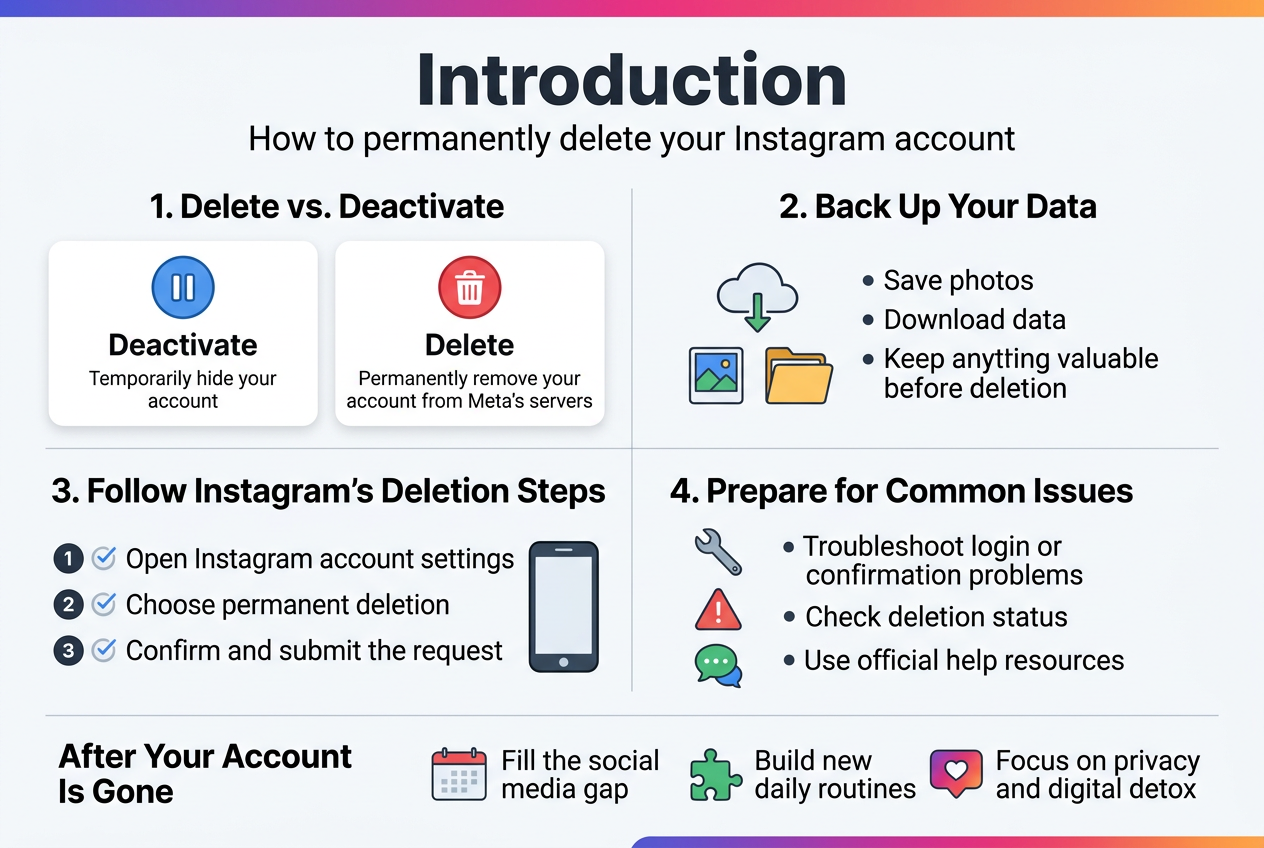 |
Ready to delete your Instagram account permanently? This guide is for anyone who's decided to leave Instagram for good – from social media detox seekers to privacy-conscious users who want their data completely removed from Meta's servers.
Deleting your Instagram account permanently is different from just deactivating it, and the process requires a few important steps to make sure you don't lose anything valuable. We'll walk you through the key differences between deactivation and permanent deletion, show you how to back up your photos and data before taking the plunge, and guide you through Instagram's official deletion process step-by-step.
You'll also learn how to troubleshoot common problems that pop up during deletion and discover ways to fill the social media gap in your daily routine once your account is gone for good.
Understand the Difference Between Deactivating and Permanently Deleting Your Account
Learn what happens when you deactivate versus delete
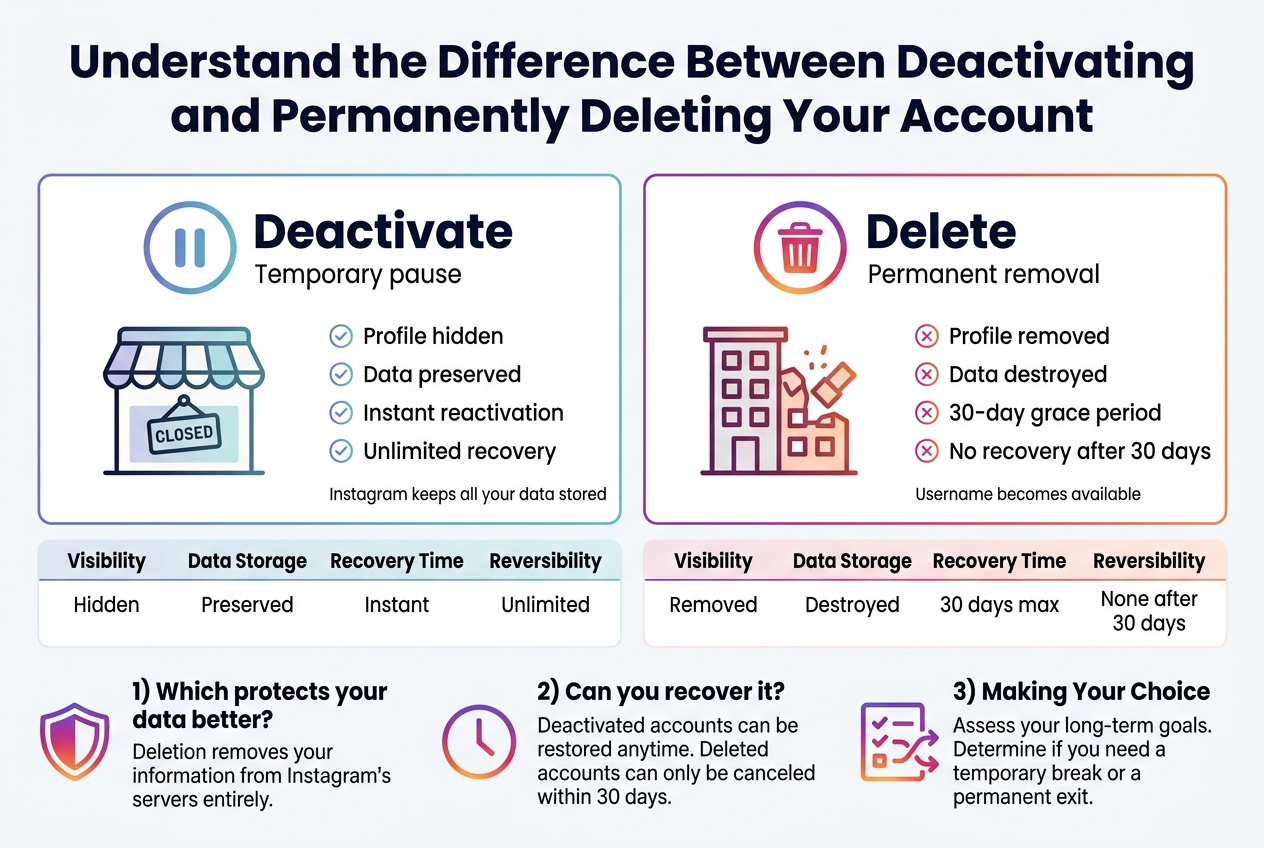
When you deactivate your Instagram account, you're essentially putting it on pause. Your profile, photos, comments, and likes become invisible to other users, but Instagram keeps all your data stored on their servers. Think of deactivation like temporarily closing a shop – everything inside remains exactly where you left it, just waiting for you to flip the "open" sign back on.
Permanent deletion works completely differently. Instagram removes your account and all associated data from their servers permanently. Your username becomes available for others to claim, your photos disappear forever, and any comments or likes you've made across the platform vanish. This process mirrors demolishing a building rather than just locking the doors.
The timeline differs significantly between these options. Deactivation happens instantly and can be reversed anytime by simply logging back into your account. Deletion involves a 30-day grace period where your account remains recoverable, followed by complete removal from Instagram's systems.
| Action | Visibility | Data Storage | Recovery Time | Reversibility |
|---|---|---|---|---|
| Deactivate | Hidden | Preserved | Instant | Unlimited |
| Delete | Removed | Destroyed | 30 days max | None after 30 days |
Discover which option protects your data better
Deactivation offers superior data protection if privacy concerns drive your decision. Your information stays completely intact while remaining invisible to other users, giving you control over when and how you return to the platform. This option works well if you're taking a social media break or dealing with harassment.
However, deactivation means Instagram continues storing your personal information, including photos, direct messages, and behavioral data they've collected. For users worried about corporate data retention or potential security breaches, this ongoing storage presents a privacy risk.
Permanent deletion provides the strongest data protection by removing your information from Instagram's servers entirely. Your photos, messages, search history, and profile details get wiped clean after the 30-day waiting period. This option gives you complete control over your digital footprint.
The trade-off involves losing access to memories, connections, and content you've built over time. Downloaded photos and shared content with friends might be your only remaining copies.
Find out if you can recover a deleted account
Recovery depends entirely on timing and the action you chose. Deactivated accounts can be restored indefinitely – simply log in with your username and password to reactivate everything exactly as you left it.
Deleted accounts follow a strict 30-day rule. During this grace period, you can cancel the deletion process by logging back into your account. Instagram treats this login as a cancellation request and restores your profile completely.
After 30 days pass, recovery becomes impossible. Instagram permanently removes all traces of your account from their systems. Your username, photos, followers, and messages disappear forever with no backup or recovery option available.
Some users mistakenly believe contacting Instagram support can restore old deleted accounts, but this isn't possible. The company maintains strict policies about permanent deletion being truly permanent.
Before choosing deletion, consider downloading your data through Instagram's "Download Your Information" feature. This backup includes photos, videos, messages, and profile information, giving you personal copies even after deletion.
Prepare Your Account Before Permanent Deletion
Download your personal data and photos
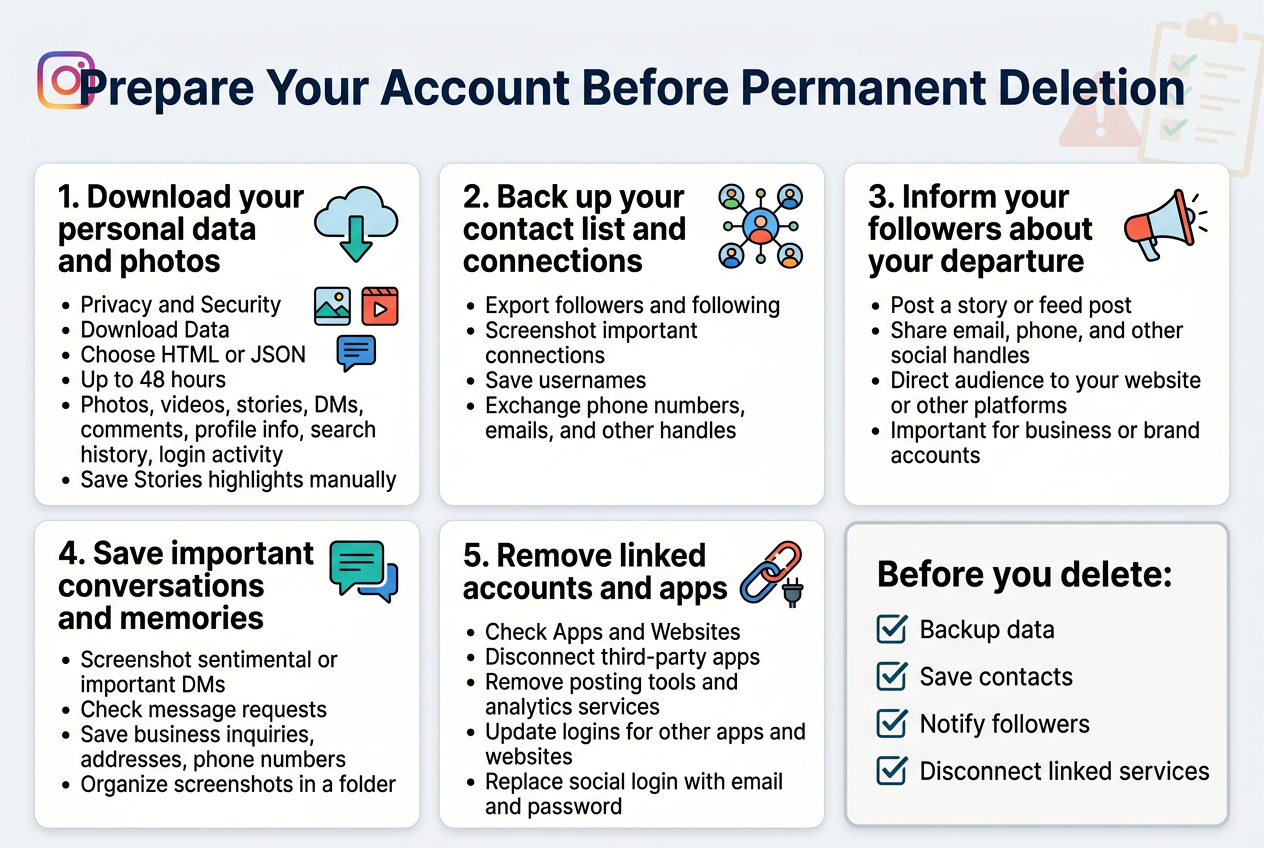
Instagram stores years of your memories, photos, videos, and personal data. Before saying goodbye forever, make sure you have everything safely backed up. Head to your Instagram settings and look for "Privacy and Security," then find "Download Data." You'll need to enter your email address and choose your file format - HTML gives you a nice web-based view, while JSON provides raw data that's better for developers.
The download process can take up to 48 hours, especially if you have tons of content. Instagram will email you when your archive is ready. This backup includes all your photos, videos, stories, direct messages, comments, profile information, and even data you might not realize exists like your search history and account login activity.
Don't forget about your Instagram Stories highlights. These aren't automatically included in the standard data download, so save them manually by taking screenshots or screen recordings of your favorite moments.
Back up your contact list and connections
Your Instagram network represents years of relationship building. Export your followers and following lists while you can still access them. Take screenshots of your follower count and any important connections you might want to reach out to later on other platforms.
Create a list of close friends and influencers you follow regularly. Note down their usernames so you can find them on other social media platforms. Many people use the same handle across different networks, making this transition smoother.
Consider reaching out to your closest Instagram friends to exchange contact information. A simple DM asking for their phone number, email, or other social media handles can help maintain these relationships after your account disappears.
Inform your followers about your departure
Give your community a heads up before vanishing completely. Post a story or feed post explaining your decision to leave Instagram permanently. This courtesy helps prevent confusion and shows respect for the relationships you've built on the platform.
Share alternative ways people can stay in touch with you. Include your email address, phone number, or handles for other social media platforms where you'll remain active. Many people appreciate having multiple ways to maintain the connection.
If you run a business or brand account, this step becomes even more critical. Direct your audience to your website, other social media accounts, or provide clear instructions on how they can continue engaging with your brand elsewhere.
Save important conversations and memories
Direct messages disappear forever when you delete your Instagram account. Screenshot conversations that hold sentimental value or contain important information you might need later. This includes business inquiries, addresses, phone numbers, or memorable exchanges with friends and family.
Look through your message requests folder too - sometimes important messages end up there, especially from people you don't follow. You might discover conversations you forgot about or business opportunities you never saw.
Create a simple folder on your phone or computer to organize these screenshots. Group them by person or topic so you can easily find specific conversations later if needed.
Remove linked accounts and apps
Instagram probably connects to various third-party apps and services you've authorized over the years. Check your account settings under "Apps and Websites" to see what's currently linked. Remove authorization for apps you no longer use or want connected to your data.
Review any automatic posting tools, social media management platforms, or analytics services that access your Instagram account. Disconnect these before deletion to avoid error messages or failed posting attempts.
If you use Instagram to log into other apps or websites, make sure you have alternative login methods set up. Update your login credentials for these services to use email and password or other social media accounts instead. This prevents getting locked out of important accounts after your Instagram deletion.
Don't forget about any subscription services or online stores where you used Instagram for authentication. Netflix, Spotify, online shopping sites, and other services sometimes offer social media login options that you'll need to replace.
Follow the Step-by-Step Deletion Process
Access Instagram's official account deletion page
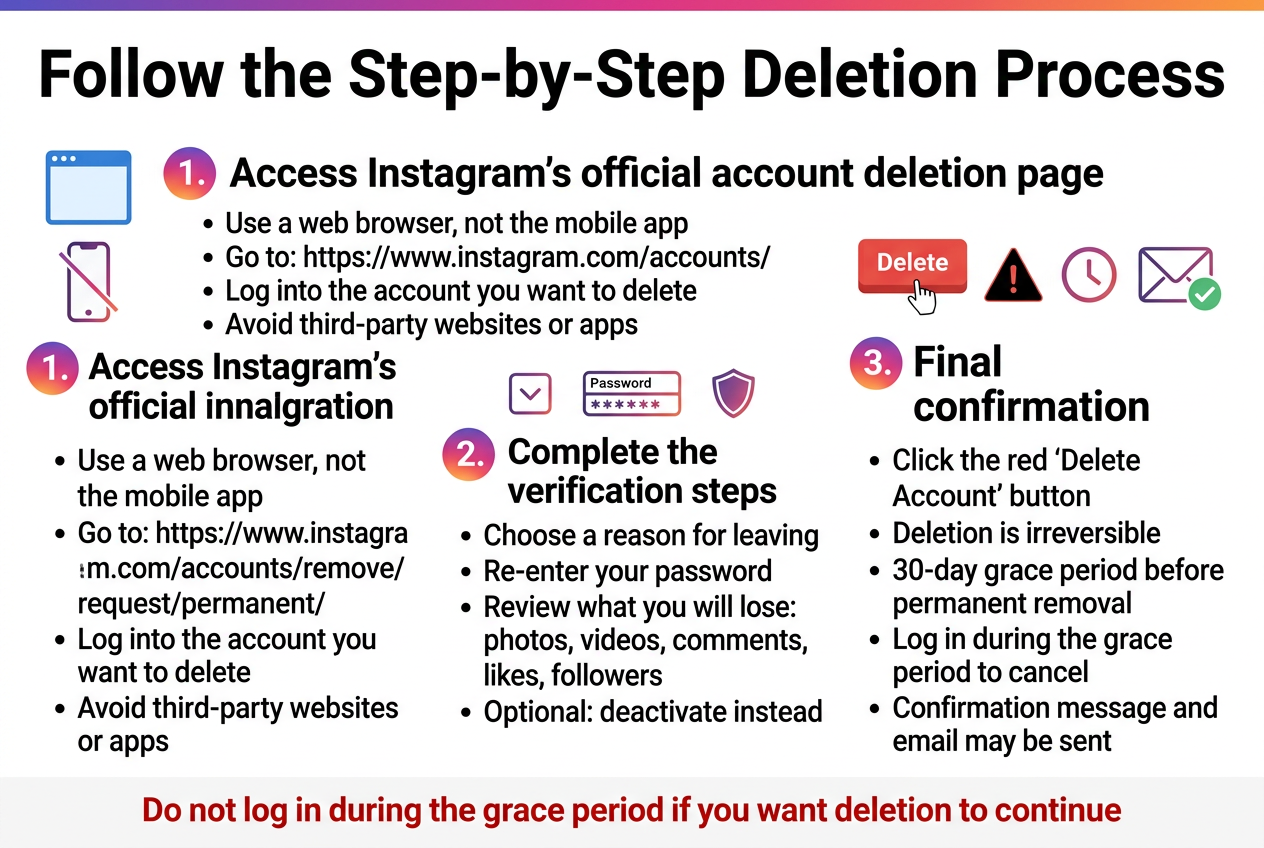
You can't delete your Instagram account through the mobile app – this process only works through a web browser. Open your preferred browser and navigate directly to https://www.instagram.com/accounts/remove/request/permanent/. This is Instagram's dedicated page for permanent account deletion, and it's the only official way to completely remove your account from their platform.
Make sure you're logged into the account you want to delete before accessing this page. If you're not already signed in, Instagram will prompt you to enter your credentials. Bookmark this URL if you need to return to it later, as finding this specific deletion page through Instagram's regular navigation can be challenging.
Avoid third-party websites or apps that claim they can delete your Instagram account for you. These services are often scams or could compromise your account security. Stick to Instagram's official deletion page to ensure your data is handled properly.
Navigate through the required verification steps
Once you reach the deletion page, Instagram will ask you to specify why you're leaving the platform. You'll see a dropdown menu with various reasons like "Privacy concerns," "Too distracting," "Something else," or "Trouble getting started." Select any reason that applies to your situation – this choice won't affect the deletion process.
After selecting your reason, Instagram requires you to re-enter your password for security verification. This step prevents unauthorized users from deleting accounts without proper authentication. Type your current password exactly as you normally would when logging in.
Instagram may also present you with information about what you'll lose when you delete your account, including photos, videos, comments, likes, and followers. They might suggest deactivating your account instead as an alternative. Review this information carefully, but if you're committed to permanent deletion, continue with the process.
Complete the final confirmation process
The final step involves clicking the red "Delete Account" button. This action is irreversible, so Instagram will likely show you one last warning message explaining that your account and all associated data will be permanently removed and cannot be recovered.
Read through this final warning completely. Instagram typically gives you a brief grace period (usually 30 days) where your account is scheduled for deletion but not yet permanently removed. During this window, you can still log in to cancel the deletion if you change your mind.
After clicking the delete button, you'll receive a confirmation message indicating that your account deletion request has been submitted. Instagram may also send a confirmation email to your registered email address. Your account will remain deactivated during the waiting period before permanent deletion occurs.
Don't attempt to log into your account during this grace period unless you want to cancel the deletion. Any login activity will reactivate your account and stop the deletion process.
Handle Common Issues During Account Deletion
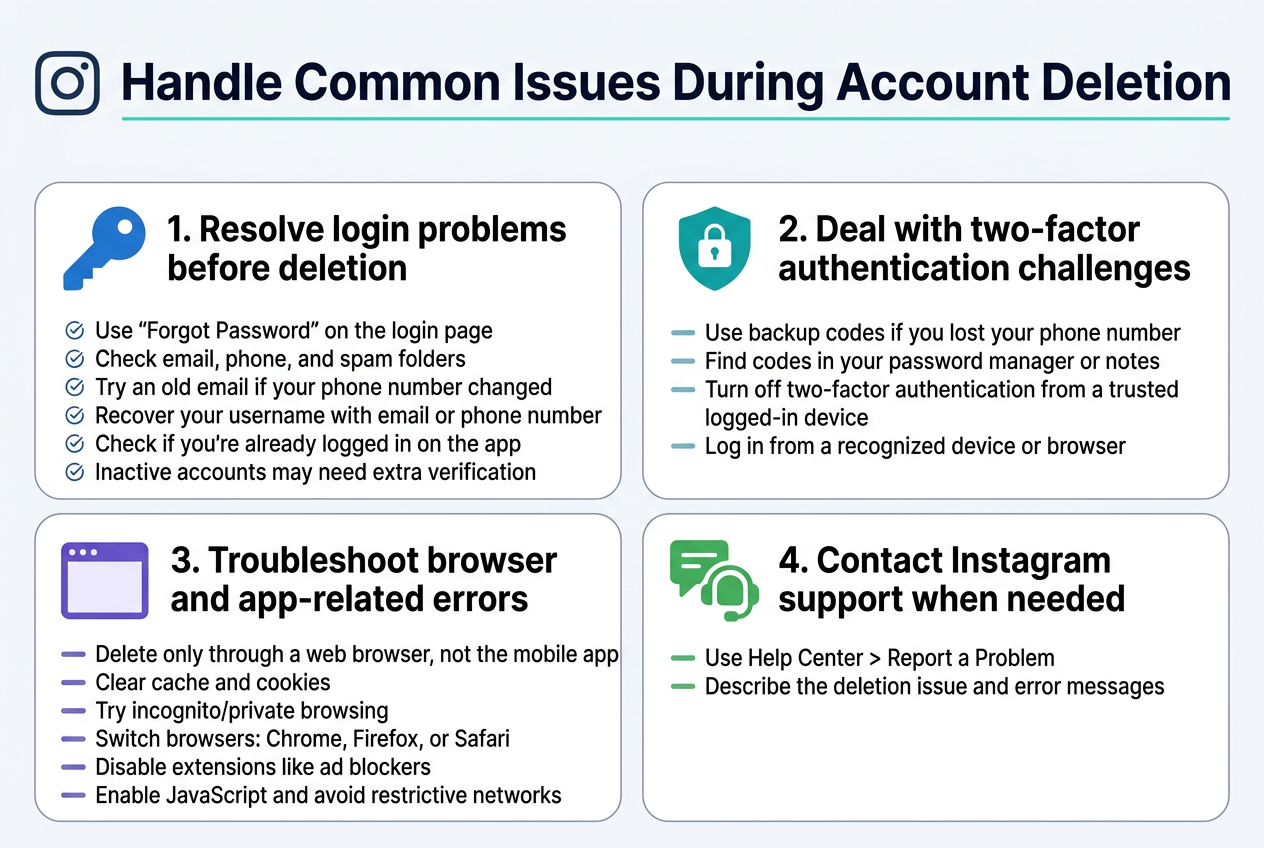
Resolve login problems before deletion
Getting locked out of your Instagram account right when you want to delete it feels like cruel irony. This happens more often than you'd think, especially if you've been away from the platform for a while.
Start by trying the "Forgot Password" link on Instagram's login page. Check both your email and phone for password reset messages. Sometimes these emails land in spam folders, so dig around there too. If you've changed phone numbers recently, you might need to use an old email address that's still linked to your account.
Can't remember your username? Use Instagram's username recovery tool with your email address or phone number. If you have the Instagram app on your phone, check if you're still logged in there – you can find your username in the profile settings.
For accounts that have been inactive for months or years, Instagram sometimes requires additional verification. You might need to provide a photo of yourself or answer security questions about when you created the account.
Deal with two-factor authentication challenges
Two-factor authentication can become a roadblock when you're trying to delete your account, especially if you've lost access to your authentication method.
If you're using text message verification but no longer have that phone number, look for backup codes you might have saved. Instagram provides these when you first set up two-factor authentication. Check your password manager, notes app, or anywhere you might have stored them.
Lost your authenticator app or got a new phone? You can disable two-factor authentication from a device where you're already logged in. Go to Settings > Security > Two-Factor Authentication and turn it off temporarily. This makes the deletion process much smoother.
If you're completely locked out, try logging in from a device or browser where Instagram recognizes you. The platform sometimes allows trusted devices to bypass two-factor authentication for account management tasks.
Troubleshoot browser and app-related errors
Instagram's account deletion page can be finicky about which browsers and devices it works with. The deletion process only works through a web browser – you can't delete your account through the mobile app.
Clear your browser's cache and cookies before attempting deletion. Old session data sometimes interferes with the deletion form. Try using an incognito or private browsing window to avoid any stored data conflicts.
Different browsers handle Instagram's deletion page differently. If you're having trouble with Chrome, try Firefox or Safari. Some users report better success with desktop browsers compared to mobile browsers.
Disable browser extensions temporarily, especially ad blockers and privacy extensions. These can interfere with Instagram's forms and prevent the deletion process from completing properly.
Make sure JavaScript is enabled in your browser – Instagram's deletion form won't work without it. If you're on a work or school network, firewall restrictions might block the deletion process.
Contact Instagram support when needed
Sometimes you need human help to delete your account, especially when technical issues persist or you're dealing with special circumstances.
Instagram doesn't have a phone number, but you can reach them through their Help Center. Look for the "Report a Problem" option in the Help section. Be specific about your deletion request and include details about any error messages you're encountering.
If your account was hacked or compromised, mention this in your support request. Instagram often prioritizes these cases and can help you regain control before deletion.
For business accounts or creator accounts with significant followings, Instagram sometimes offers additional support options. Check if you have access to any priority support channels through your account type.
Response times vary, but Instagram typically responds within 24-48 hours for account deletion requests. Keep your request concise and professional – explain exactly what you want to do and what's preventing you from doing it yourself.
Manage Your Digital Life After Deletion
Adjust your social media habits and routines
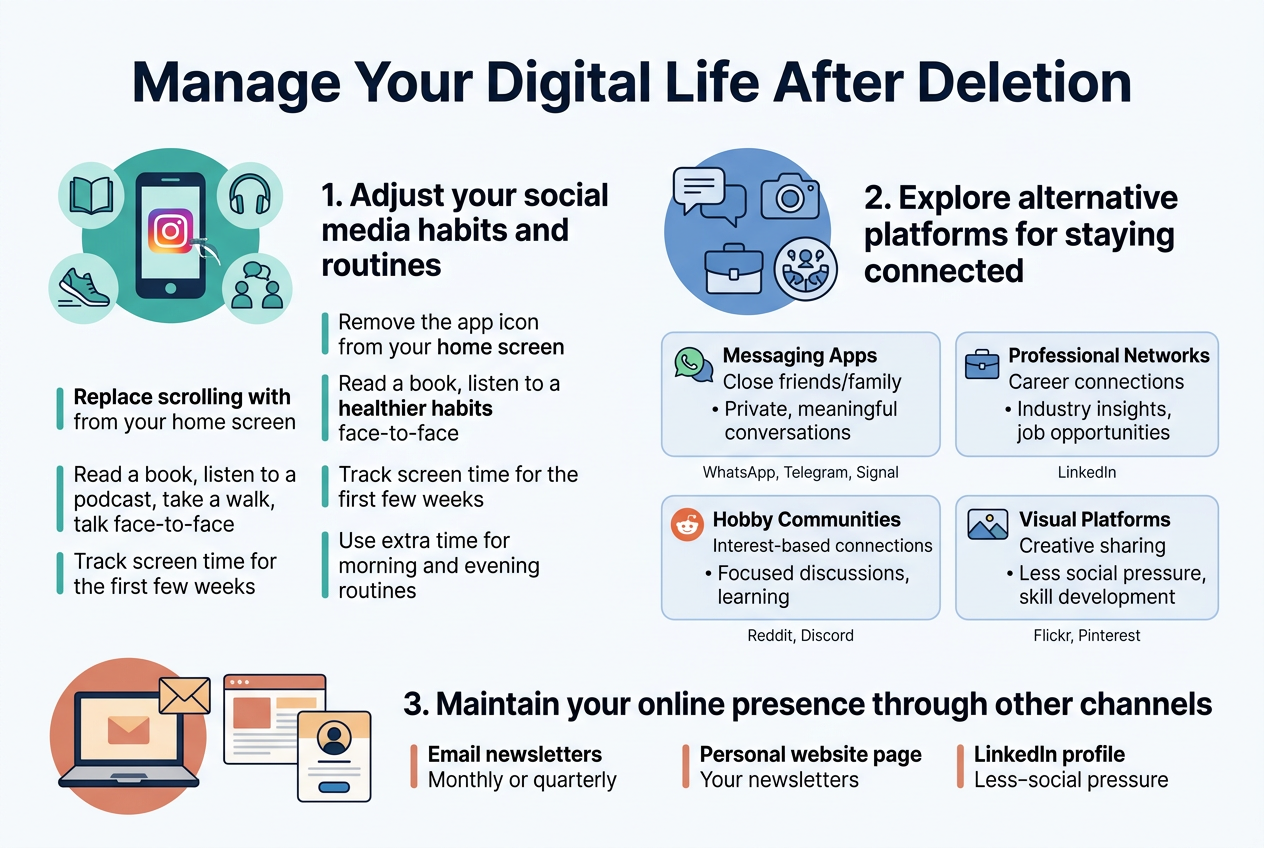
Deleting Instagram creates a gap in your daily routine that requires conscious adjustment. Most people check Instagram multiple times throughout the day, often without realizing it. Start by removing the Instagram app icon from your phone's home screen if you haven't already, and replace that muscle memory with healthier habits.
When you feel the urge to scroll through feeds, redirect that energy toward activities that add real value to your life. Read a book, listen to a podcast, take a walk, or engage in face-to-face conversations. These moments of potential Instagram browsing can become opportunities for personal growth or genuine human connection.
Track your screen time for the first few weeks after deletion. Many users discover they have 1-2 extra hours daily that were previously consumed by Instagram. Use this time intentionally rather than letting it drift to other social platforms or mindless activities.
Create new morning and evening routines that don't revolve around social media. Instead of checking Instagram first thing in the morning, try meditation, journaling, or reading news from reliable sources. Before bed, replace Instagram scrolling with reading or planning the next day.
Explore alternative platforms for staying connected
Different platforms serve different connection needs, and choosing the right alternatives depends on your specific social goals. For visual sharing, consider platforms like Flickr for photography enthusiasts or Pinterest for creative inspiration without the social comparison pressure.
For staying in touch with friends and family, messaging apps often provide more meaningful connections than public posting. WhatsApp, Telegram, or Signal allow for group chats and photo sharing in private settings. These platforms encourage deeper conversations rather than surface-level interactions.
LinkedIn serves professional networking needs if career connections were part of your Instagram use. The platform focuses on professional achievements and industry discussions rather than lifestyle comparisons.
Consider joining online communities related to your hobbies or interests. Reddit offers countless specialized communities where you can engage in meaningful discussions about topics you care about. Discord servers provide real-time chat opportunities with people who share your interests.
| Platform Type | Best For | Key Benefits |
|---|---|---|
| Messaging Apps | Close friends/family | Private, meaningful conversations |
| Professional Networks | Career connections | Industry insights, job opportunities |
| Hobby Communities | Interest-based connections | Focused discussions, learning |
| Visual Platforms | Creative sharing | Less social pressure, skill development |
Maintain your online presence through other channels
Your digital footprint doesn't disappear with Instagram deletion, but you'll need to be more intentional about maintaining visibility where it matters. Focus your energy on platforms that align with your personal or professional goals rather than spreading yourself thin across multiple social networks.
Email newsletters offer a direct way to stay connected with people who matter to you. Create a simple monthly or quarterly update sharing life events, achievements, or interesting discoveries. This approach feels more personal than social media posts and reaches people who genuinely want to hear from you.
A personal website or blog gives you complete control over your online narrative. Share your thoughts, projects, or experiences without algorithm interference or character limits. Even a simple one-page website with your contact information and recent updates can help people find and connect with you.
Professional platforms become more important when Instagram isn't showcasing your work or expertise. Update your LinkedIn profile regularly, contribute to industry discussions, or write articles in your field. This builds credibility and maintains professional visibility without the distractions of lifestyle-focused social media.
Consider which relationships truly require digital maintenance versus those that thrive through in-person interaction. Many people discover that their most meaningful connections don't actually depend on constant social media updates, and these relationships often grow stronger with more intentional, less frequent contact.
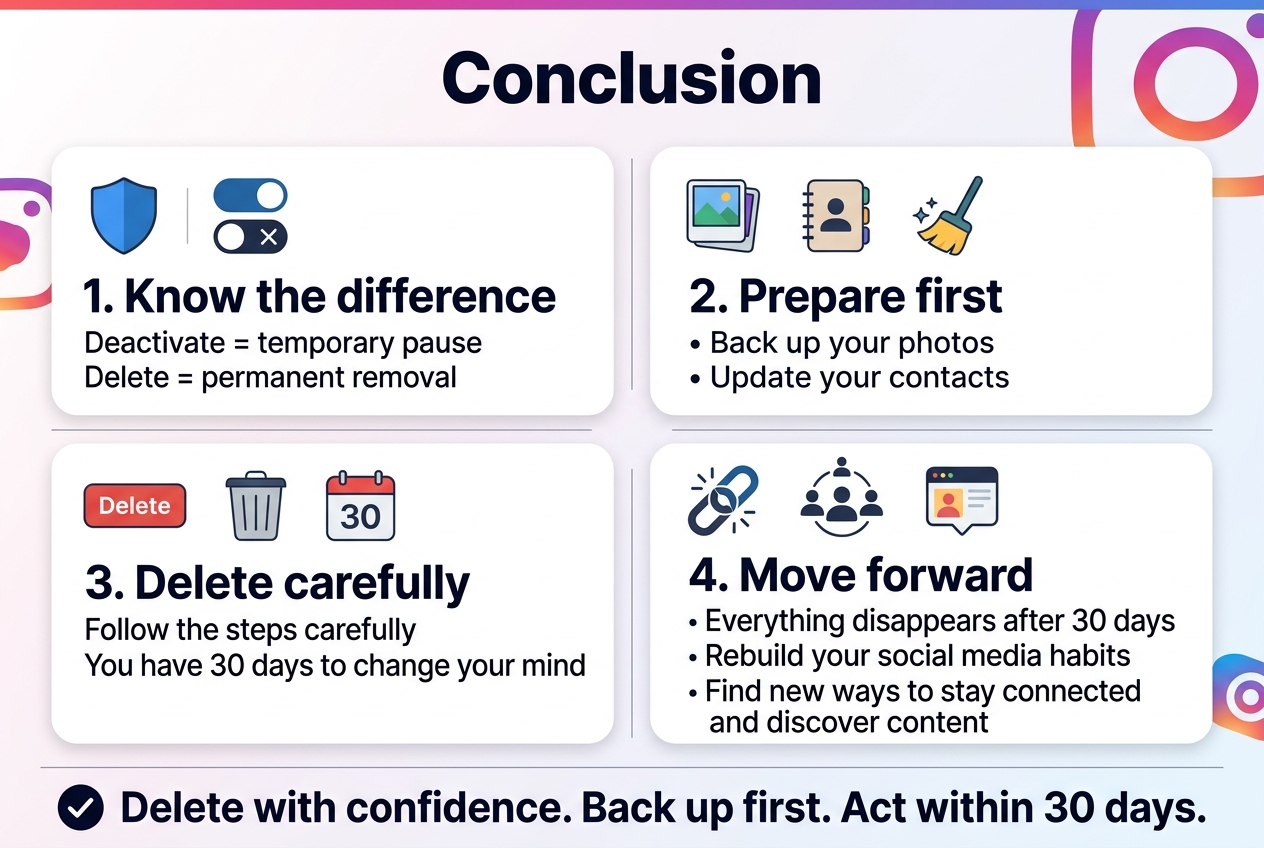
Deleting your Instagram account permanently is a big decision, but now you know exactly how to do it right. The key difference between deactivating and permanent deletion can save you from making a mistake you'll regret later. Taking time to back up your photos, update your contacts, and clean up your digital presence before hitting delete makes the whole process smoother.
Once you're ready to say goodbye to Instagram for good, the actual deletion steps are pretty straightforward if you follow them carefully. Remember that you have 30 days to change your mind before everything disappears forever. After that window closes, you'll need to rebuild your social media habits and find new ways to stay connected with friends and discover content that matters to you.
